
A practical summary of the rules for drawing in MDL 2.0: elements, link, link ends, dashed line, cross link and colors. The full text of the notation is in the MDL 2.0 specification; ready-made diagrams are in the examples by use.
Elements
MDL is free and simple: few elements, a single connector, and anything can connect to anything as long as it makes sense. It goes from business to data modeling in the same drawing, at different levels of abstraction.
| Element | Shape | What it represents |
|---|---|---|
| user |  stick figure, as in a use case | Any actor that acts on the system: a person, a robot, an AI, an agent. |
| front-end |  parallelogram (the “pencil”) | A screen or interface, client-side or not, web or not. |
| back-end |  ellipse or circle | Core, service, API, BFF, microservice. Also a process or a context (DDD). |
| data | 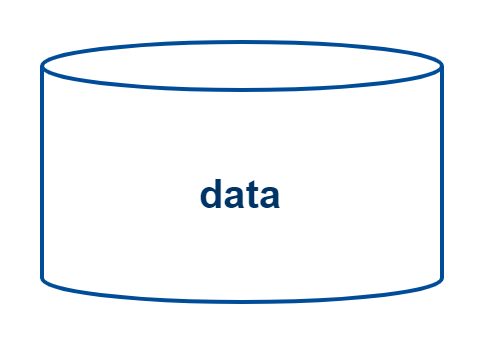 cylinder | Any data repository: a database, a cache, even FTP. |
| part |  rectangle without a strong fill | A part: details any element from the inside or the outside. Tiers, layers, cloud, node, the layers of a core (facade, filters, DTO, data), regions of a screen (wireframe), a database table (fields), even the structure of an AI. |
| boundary |  dashed rectangle | A limit or border: a context, a group, an environment. |
| black-box |  solid filled rectangle with light text | Something you do not want to detail: a legacy system, a market tool (Cloudflare, a queue, a gateway), a large component. It is always a rectangle: if it is a circle or a pencil, it is not a black-box. The classic one is black with white text. |
| comment | jagged (hatched) rectangle | A note or specification: explains what an element is or how it is inside. It connects to any element. |
Composition by containment
An element inside another is part of it: a screen inside a screen, small circles inside a large one (a composite service), layers inside a core, tables inside the database.
Type label
The type goes between <<…>> under the name, for example <<bff>>, <<api>>, <<database>>, <<table>> and <<postgre>>. A table is a rectangle with the name, <<table>> and the list of fields, such as + codigo long, pk.
Link
In MDL there is only one connector: the link, a line with an open arrow at the end. It connects anything to anything: a user to a database, a database to a database, a layer to a layer. And it has three functions:
- Direction: the flow of information, where the arrow points.
- Order: a number on the link (1, 2, 3…) and, below it, what happens, such as “1 - make payment” and “2 - invoke the back-end”. This way the drawing describes the business.
- Detour (if): the same number on two links, with a different color (for example, red) on the alternative path, such as “[if] user validated: generate and return the token”.
Link ends
The ends work on any link and on either side.
| End | Figure | Meaning |
|---|---|---|
| open arrow |  | Direction. |
| closed diamond (composition) |  | The diamond side is the whole, the composition. MDL does not have an open diamond. |
| open triangle (specialization) |  | Specialization (inheritance). |
| closed dot (always link) |  | Always happens, so it needs no number. For example, the core with the database in 100% of the flows. |
| arrows on both ends | — | Bidirectional. |
With no arrow on the other side, the direction is that of the diamond, dot or triangle side. With an arrow on the other side, the diamond marks the composition and the arrow marks the direction.
Dashed line
| Line | Figure | Becomes |
|---|---|---|
| dashed link |  | Weak link: not necessarily physical, and it may or may not happen. |
| dashed composition | — | Aggregation. |
| dashed specialization | — | Implementation. |
Cross link
A cross link is a link that passes over elements and layers to connect two distant points, without needing an arrow for each layer. For example, from the user or the screen straight to the core or the database, crossing the infrastructure tiers and security. It appears in red and keeps the drawing clean. Use it from one relevant point to another, such as from the last layer of the front to the first layer of the core. See the cross link in the link and cross link example.
Colors
The palette is the ArcH standard. Elements are light (except the black-box), with text and border in the dark tone of the same color.
| Domain | Sample | Color |
|---|---|---|
| front-end / user | Purple, light on the element. Dark purple on the name, on the user and on the arrow that starts from it. | |
| core / back-end | Light blue. | |
| security | Green: dark if it is a black-box, light if it is not. | |
| data / database / data layer | Yellow. | |
| external | Gray. | |
| black-box | Solid dark; the classic is black, with white text. | |
| flow detour / cross link | Red. |
- Link color: it is the color of the origin. An arrow that leaves the front is purple; one that leaves a green black-box is green.
- Layers: the more external, the slightly darker; the more internal, the lighter. A sub-sub-layer can have a white background with a border in the layer color: the contrast shows the depth.
- Outer frames (title, dark frame) are decoration, not part of the notation.